

1. What is egocentric video data collection?
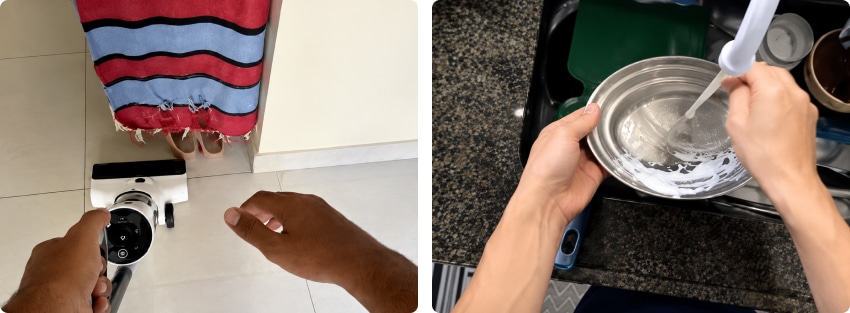
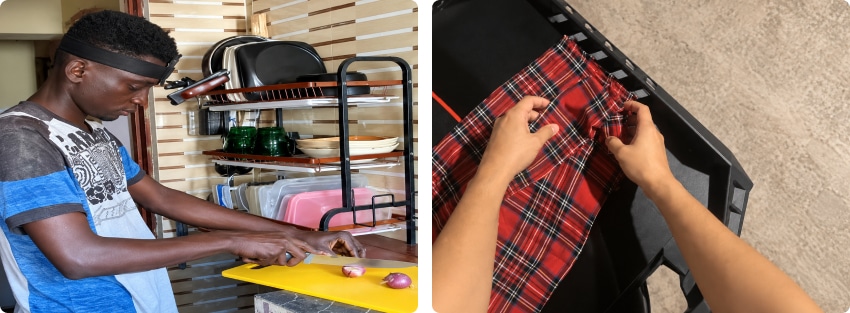
Egocentric video data collection is the collection of video data from a first-person, “egocentric”, point-of-view. This means that it shows the perspective of a person who is doing a task, like folding laundry, fixing a bike brake, fixing a leaky pipe, sewing a shirt, baking bread, bike-riding, skiing, etc, and not the perspective of a person watching someone do the task.
In this article
- 1. What is egocentric video data collection?
- 2. What is a headmount?
- 3. Alternatives to a headmount
- 4. What does it cost to buy a headmount?
- 5. Can I make a headmount or chest mount for free?
- 6. Who uses these camera mounts?
This kind of data is collected primarily for “physical AI”, that is to say, to be able to teach robots how to do a task. This means that the next step after recording the video data is normally to annotate it. This can involve drawing precise bounding boxes around important on-screen objects including hands, items manipulated by hands and the contact points between objects. The data is often labelled with category names such as “left hand”, “right hand”, “plate”, “rug”, etc.
For this reason, most egocentric video data requires at least one hand to be kept in view at all times. This does make for some awkward poses for the person making the recording – a little like the viewpoint in first-person computer games.

Walking Dead: Saints and Sinners. Image supplied by LXT. Check out the related video.
2. What is a headmount?
Headmounts allow the person recording the egocentric video data to perform the recording without having to hold the camera. They are essentially a glorified headband that allows the user to tilt the camera down so that it captures the work area in front of them, to be able to record both hands and the objects they are touching.
Main things to keep in mind about the camera:
- The phone should be placed on the forehead with the camera pointed forward and in landscape orientation.
- The camera should be tilted downwards, about 45 degrees, so that your hands and fingers are visible during work and your toes are visible when standing.
- The lens should be kept clean and uncluttered.
- The strap should be snug enough so that the phone does not bounce, slide or tilt while you move.
3. Alternatives to a headmount
Sometimes a company wants, or allows, a chest mount or neck mount instead of a headmount. Again, this is a harness that allows the wearer to use their hands and record what both hands are doing. These can be steadier than a headmount, but can get in the way of what you’re looking at, and they have a much lower viewpoint than a headmount.
You can only use this type if it is specifically requested or permitted for the particular project.
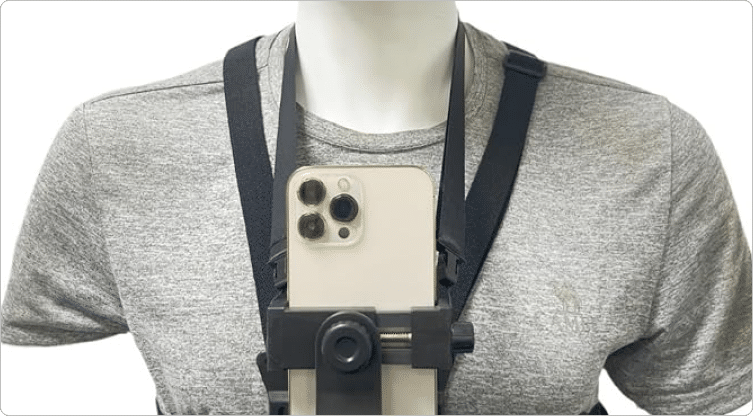
Some mounts hang the camera around the user’s neck.
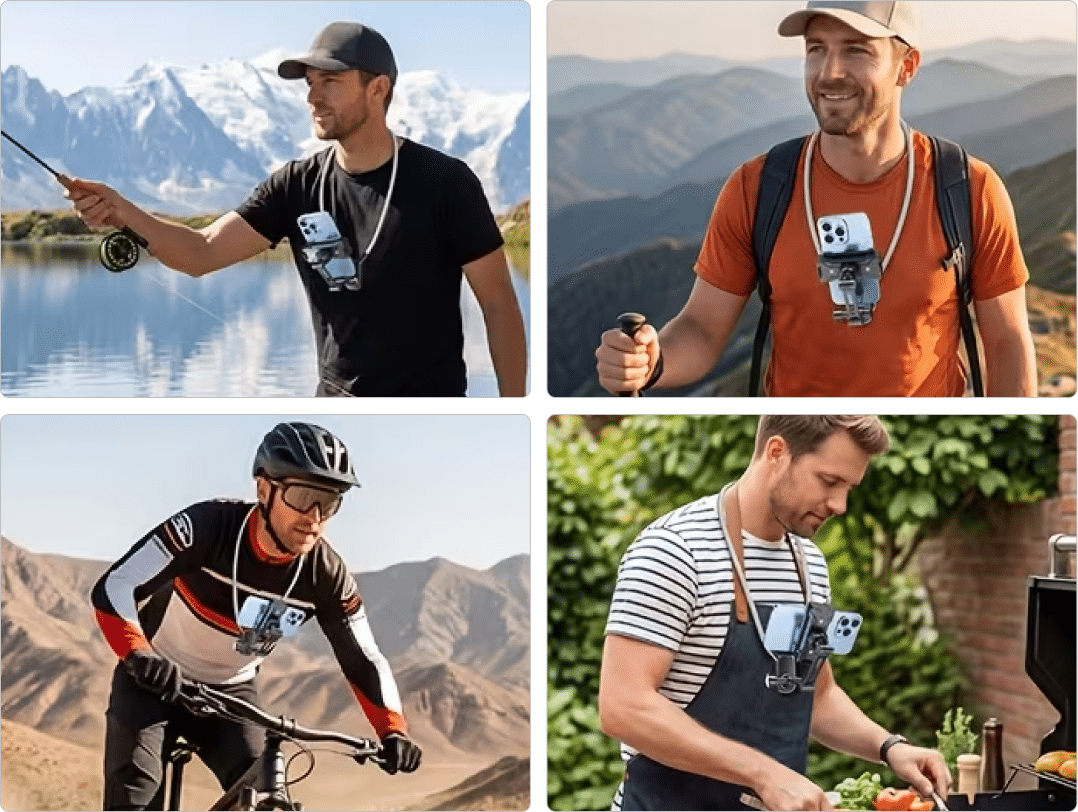
Note: this style sometimes gets the way of what you’re looking at, and doesn’t move when you move your head. Neck mounts can give a steadier image than headmounts, but will not be able to track your hand if you reach too far to the side. You can only use this type if it is specifically requested or permitted for the particular project.
| Mount | Viewpoint | Steadiness | Limits |
|---|---|---|---|
| Headmount | Moves with your head, close to your eyes | Good if the strap is snug and the tilt is set | Weight on your forehead can cause a neckache |
| Chest mount | Much lower than a headmount | Steadier than a headmount | Can block your view. Only allowed if the project permits it |
| Neck mount | Low, hangs at the chest | Steadier than a headmount | Does not move when you move your head, and cannot track a hand that reaches far to the side. Only allowed if the project permits it |
Check out a fun selection of different types of wearable phone mounts.
4. What does it cost to buy a headmount?
The price of a headmount varies from about $5 to $50 USD, with many in the $10-$15 range, and the price can depend on your specific device.
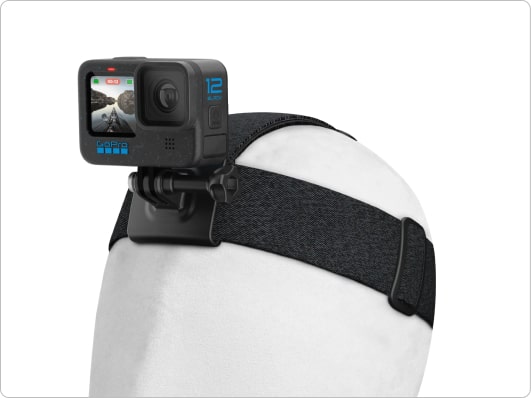
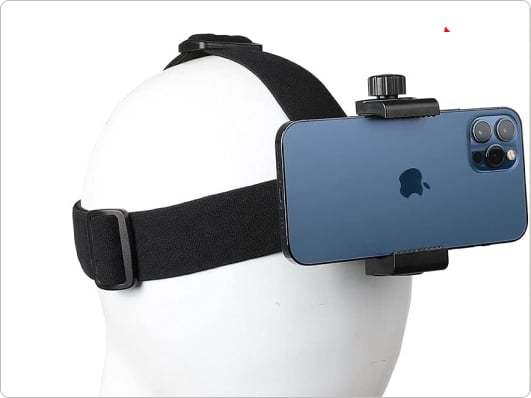
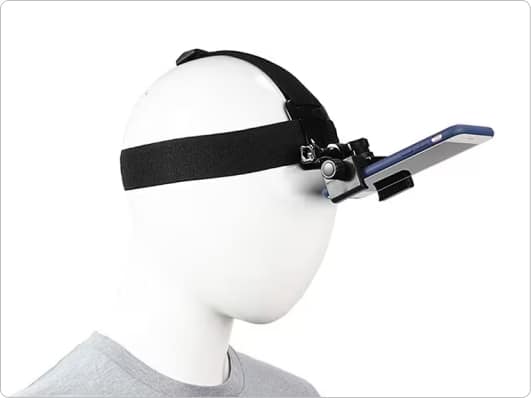
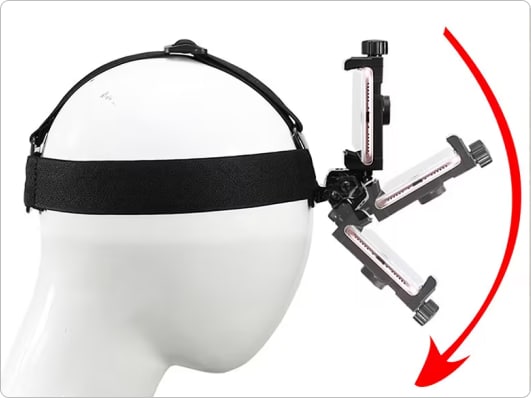
Good camera mounts have something soft but firm to hold your phone – you don’t want it scratched, but you also don’t want it to fall off while your hands are busy.
They accept a range of phone widths, and some come with adapters so they can be used with either a mobile phone or a GoPro.
Having the weight of a phone hanging off your forehead can easily give you a neckache if you’re not careful, so you want to make sure your head remains nicely balanced on your neck, and that the headmount can tilt to view your workspace where your hands naturally work.
A good headmount allows you to tilt the camera in very small increments to get the perfect angle for the task you’re doing, and allows you to record in either portrait or landscape mode.
The strap should fit securely around (headband) and over (top-strap) your head, so it does not slip off or wobble, but also doesn’t give you a headache.
Some clips (the part that attaches the phone/GoPro/camera to the headband) are removable and can be attached to a beanie, cap, or other item of clothing. Make sure you correctly adjust the tilt even when using the clip-only.
5. Can I make a headmount or chest mount for free?
There are several different approaches to making your own camera mount, and some are more secure and reliable than others.
1. If you have an existing phone holder, you can attach it to a cap, in front of your eyes.
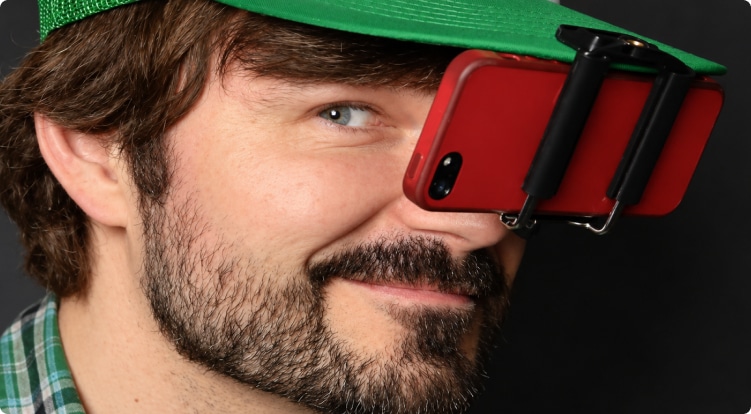
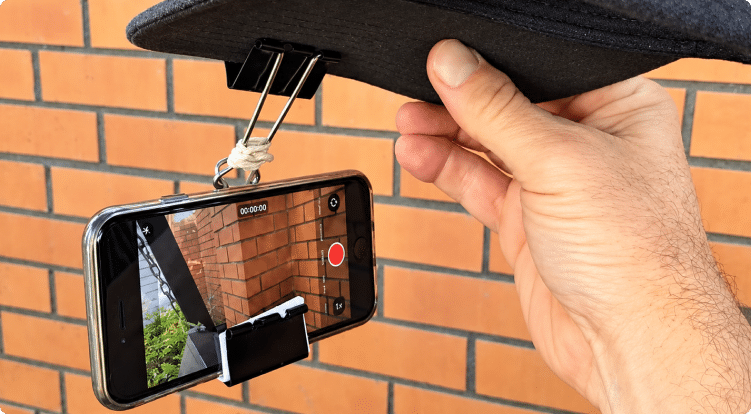
2. If you have some large butterfly clips*, some paper and elastic bands, you can attach your phone to your cap brim, in front of your eyes, might not tilt down very well.
*Butterfly clips are sometimes called paper fasteners or metal clips.
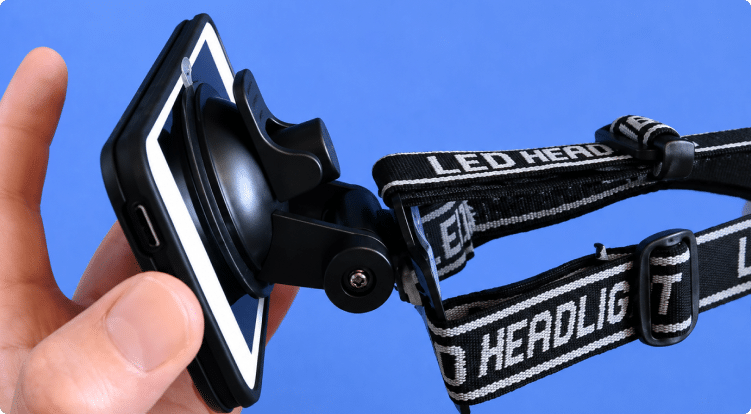
3. You can use the head straps from an old (or new) headtorch, and attach a suction windscreen/phone attachment to the headtorch headband.
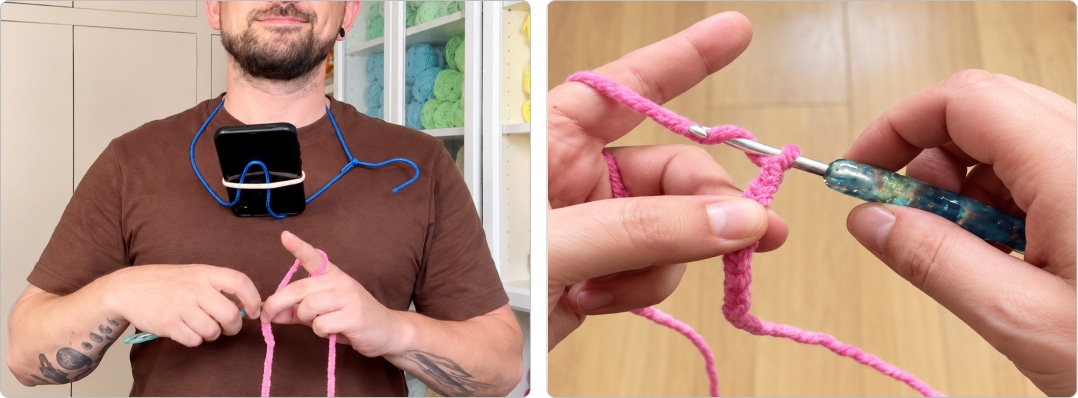
4. Neck mount (only allowed in some projects). Bend a wire coat hanger into shape, and hold your phone in place with an elastic hair tie. This gives a very good control over the angle you film at and can give a very stable video.
6. Who uses these camera mounts?
Egocentric video data is worth about $700 million USD in 2026, as companies rush to fulfil their training data needs. This value is expected to increase to $1 billion in 2027 and to $1.3 billion in 2028.
The people collecting this data are often students, homemakers and people working in factories and trade businesses. It can be a useful way to earn extra money, but it is real work: contributors cannot always simply record their usual routine and may need to spend several hours repeating tasks such as making a bed or washing dishes.
Companies have already used this data to create robots that can sew clothes and work in textile factories, but the world is still years away from robots that can unstack your dishwasher, hang up your washing, fold your clothes and change your bedsheets. Researchers still need a lot more data to bring these dreams to reality.